How to use the macros in Prototrak Lathe's programming?
As a supplier of Prototrak Lathes, I've witnessed firsthand the transformative power of macros in enhancing the efficiency and precision of lathe programming. Macros are essentially sub - programs that can be called upon within a main program, offering a way to automate repetitive tasks, simplify complex operations, and adapt to various machining requirements. In this blog, I'll share some insights on how to effectively use macros in Prototrak Lathe programming.
Understanding the Basics of Macros
Before delving into the practical application of macros, it's crucial to understand what they are and how they work. A macro in Prototrak Lathe programming is a set of instructions stored as a single entity. These instructions can include movement commands, tool changes, speed adjustments, and other operations commonly used in lathe machining.
The main advantage of using macros is that they reduce the amount of code in the main program. Instead of writing the same set of instructions multiple times, you can simply call the macro. This not only saves time but also reduces the chances of errors. For example, if you frequently need to perform a specific threading operation, you can create a macro for it. Then, whenever you need to thread a part, you just call the macro in your main program.
Creating Macros
To create a macro in Prototrak Lathe programming, you first need to define the operations you want it to perform. Start by identifying the repetitive tasks in your machining process. This could be a specific turning operation, a grooving sequence, or a facing operation.
Once you've identified the tasks, write the code for each operation. Prototrak Lathes use a specific programming language, and you need to follow its syntax rules. For example, when writing a macro for a turning operation, you'll need to specify the feed rate, spindle speed, and the depth of cut.
Here's a simple example of a macro for a facing operation:
O1000 (Macro for facing operation)
N10 G90 G20 (Set absolute programming and inches)
N20 T0101 (Select tool 1)
N30 S1000 M03 (Spindle on, 1000 RPM)
N40 G00 X1.5 Z0.1 (Rapid move to starting position)
N50 G01 Z0 F0.01 (Feed to Z = 0)
N60 G00 Z0.1 (Rapid retract)
N70 M30 (End of program)
In this example, the macro (O1000) performs a basic facing operation. It sets the programming mode, selects a tool, starts the spindle, moves the tool to the starting position, performs the facing cut, retracts the tool, and then ends the program.
Calling Macros in the Main Program
Once you've created a macro, you can call it in your main program. To call a macro, you use the M98 command followed by the macro number. For example, if you want to call the facing macro (O1000) we created earlier, you'd add the following line to your main program:
M98 P1000
This line tells the lathe to execute the macro O1000. You can call a macro multiple times in a main program, and you can also call different macros depending on the machining requirements.
Using Variables in Macros
Variables add another level of flexibility to macros. They allow you to create more generic macros that can be adjusted based on different part dimensions or machining parameters. In Prototrak Lathe programming, variables are denoted by a # sign followed by a number (e.g., #1, #2).
For example, let's say you want to create a macro for turning a cylindrical part, but the diameter of the part can vary. You can use a variable to represent the diameter. Here's how the macro might look:
O2000 (Macro for turning operation with variable diameter)
N10 G90 G20 (Set absolute programming and inches)
N20 T0101 (Select tool 1)
N30 S1200 M03 (Spindle on, 1200 RPM)
N40 #1 = 2.0 (Set the initial diameter variable)
N50 G00 X[#1 + 0.1] Z0.1 (Rapid move to starting position)
N60 G01 X[#1 - 0.2] Z - 1.0 F0.005 (Turn operation)
N70 G00 Z0.1 (Rapid retract)
N80 M30 (End of program)
In this macro, the variable #1 represents the diameter of the part. You can change the value of #1 in the main program before calling the macro to adapt the turning operation to different part sizes.
Practical Applications of Macros
Macros have numerous practical applications in Prototrak Lathe programming. One common application is in batch production. When you're producing multiple parts with the same features, macros can significantly speed up the programming process. For example, if you're making a batch of shafts with a specific thread and groove, you can create macros for the threading and grooving operations. Then, you just call these macros in the main program for each part, reducing the programming time for each individual part.
Another application is in complex machining operations. For instance, when machining parts with irregular shapes, you can break down the operation into smaller, more manageable steps and create macros for each step. This makes the overall programming process more organized and easier to manage.
Related Products
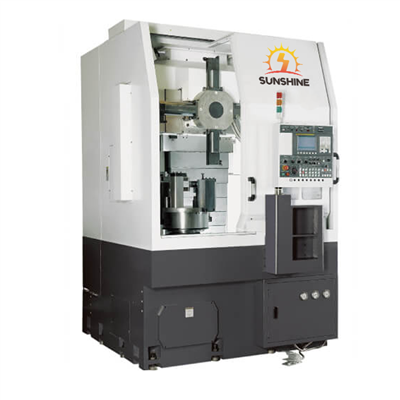
We also offer a range of high - quality lathes that can work in tandem with Prototrak programming. For example, our CNC Vertical Lathe Double Column Lathe CK525 is a powerful machine suitable for heavy - duty machining. It can be programmed using Prototrak macros to perform complex turning, boring, and facing operations.


Our Hydraulic Chuck Mechanical Transmission CNC Vertical Lathe is another great option. With its advanced hydraulic chuck system, it provides excellent clamping force, and can be programmed with macros for efficient and precise machining.
If you're in the market for a lathe specifically designed for brake hub machining, our Brake Hub CNC Vertical Lathe is a top - choice. It can be programmed using Prototrak macros to ensure high - speed and accurate machining of brake hubs.
Conclusion
Macros are a powerful tool in Prototrak Lathe programming. They offer a way to automate repetitive tasks, simplify complex operations, and increase the efficiency of your machining process. By understanding how to create, call, and use variables in macros, you can take full advantage of their capabilities.
If you're interested in learning more about Prototrak Lathes or have any questions about programming macros, we're here to help. Contact us to start a discussion about your specific requirements and how our products can meet your needs. Whether you're a small - scale workshop or a large - scale manufacturing facility, our Prototrak Lathes and programming expertise can help you achieve better results in your machining operations.
References
- Prototrak Lathe Programming Manual
- Machining Technology Handbook