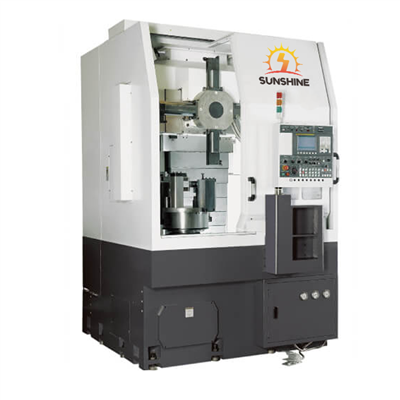
Hey there! As a supplier of Horizontal CNC Machines, I often get asked about checking and replacing encoders. Today, I'm gonna share my knowledge and experience on this topic to help you keep your machine running smoothly.
What's an Encoder in a Horizontal CNC Machine?
First things first, let's understand what an encoder is. In a Horizontal CNC Machine, an encoder is a crucial component that plays a key role in feedback control systems. It's responsible for converting mechanical motion into electrical signals, which are then used by the machine's control system to determine the position, speed, and direction of various moving parts, like the spindle and axes.
There are two main types of encoders commonly used in Horizontal CNC Machines: incremental and absolute encoders. Incremental encoders provide relative position information, while absolute encoders give the exact position at all times. Each type has its own advantages and is chosen based on the specific requirements of the machine.
Why Check and Replace the Encoder?
Over time, encoders can experience wear and tear due to factors like dust, debris, vibration, and electrical interference. When an encoder starts to malfunction, it can lead to a variety of issues, such as inaccurate positioning, poor surface finish, and even machine breakdowns. That's why it's important to regularly check and replace the encoder when necessary to ensure the optimal performance of your Horizontal CNC Machine.
How to Check the Encoder
Visual Inspection
The first step in checking the encoder is to perform a visual inspection. Look for any signs of physical damage, such as cracks, chips, or loose connections. Check the encoder's housing for dirt, dust, or moisture, as these can also affect its performance. If you notice any visible damage, it's likely that the encoder needs to be replaced.
Electrical Testing
Next, you'll want to perform some electrical tests to check the encoder's functionality. You can use a multimeter to measure the encoder's output voltage and resistance. Compare the measured values to the manufacturer's specifications to determine if the encoder is working properly. If the values are outside the normal range, it could indicate a problem with the encoder.
Software Diagnostic Tools
Many modern Horizontal CNC Machines come equipped with software diagnostic tools that can help you check the encoder's performance. These tools can provide detailed information about the encoder's position, speed, and other parameters, allowing you to quickly identify any issues. Use these tools regularly to monitor the encoder's health and catch any problems early on.
How to Replace the Encoder
Gather the Necessary Tools and Parts
Before you start replacing the encoder, make sure you have all the necessary tools and parts on hand. You'll typically need a set of screwdrivers, wrenches, and pliers, as well as a replacement encoder that is compatible with your machine. Refer to the machine's manual or contact the manufacturer to ensure you get the right encoder.
Disconnect the Power
Safety is always the top priority when working on a CNC machine. Before you begin any work, make sure to disconnect the power to the machine to prevent any electrical shocks or accidents.


Remove the Old Encoder
Locate the encoder on the machine and carefully remove any covers or guards that are blocking access to it. Use the appropriate tools to disconnect the electrical connections and mounting bolts. Take note of the position and orientation of the encoder before removing it to ensure proper installation of the new one.
Install the New Encoder
Once the old encoder is removed, install the new encoder in the same position and orientation. Make sure to tighten the mounting bolts securely and reconnect the electrical connections. Double-check all the connections to ensure they are properly seated and there are no loose wires.
Calibrate the Encoder
After installing the new encoder, you'll need to calibrate it to ensure accurate positioning and performance. Follow the machine's manual or the manufacturer's instructions to calibrate the encoder. This may involve setting the zero position, adjusting the gain, and performing other calibration procedures.
Test the Machine
Once the encoder is installed and calibrated, it's time to test the machine to make sure it's working properly. Power on the machine and run some test programs to check the encoder's performance. Monitor the machine's movements and check for any signs of abnormal behavior. If everything looks good, you're all set!
Where to Find Quality Horizontal CNC Machines
If you're in the market for a new Horizontal CNC Machine, we've got some great options for you. Check out our Precision Horizontal Machining Center For Stable Machining, which offers high precision and stability for all your machining needs. We also have the Doosan HMC Machine, known for its reliability and performance. And if you're on a budget, our Used Horizontal Machining Center is a great option.
Contact Us for More Information
If you have any questions about checking and replacing encoders in your Horizontal CNC Machine, or if you're interested in purchasing a new machine, don't hesitate to contact us. Our team of experts is here to help you find the right solution for your needs.
References
- "CNC Machining Handbook" by John Doe
- "Encoder Technology and Applications" by Jane Smith
- Manufacturer's manuals for Horizontal CNC Machines