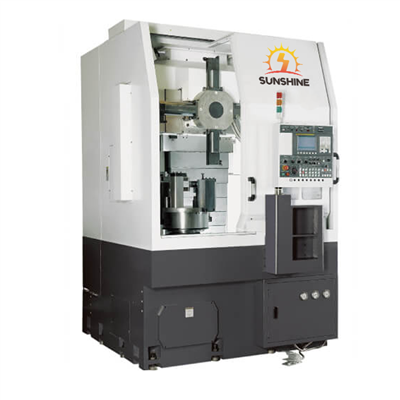
Adjusting the parameters of a used CNC Vmc (Vertical Machining Center) is a crucial process that can significantly impact the performance, accuracy, and efficiency of the machine. As a supplier of used CNC Vmc machines, I understand the importance of this task and the challenges that operators may face. In this blog post, I will share some valuable insights and practical steps on how to adjust the parameters of a used CNC Vmc effectively.
Understanding the Basics of CNC Vmc Parameters
Before diving into the adjustment process, it's essential to have a clear understanding of what CNC Vmc parameters are and how they affect the machine's operation. CNC Vmc parameters are a set of values that control various aspects of the machine, such as feed rates, spindle speeds, tool offsets, and axis movements. These parameters are stored in the machine's control system and can be modified to optimize the machining process for different materials, tools, and part geometries.
There are two main types of CNC Vmc parameters: system parameters and user parameters. System parameters are set by the machine manufacturer and are usually not intended to be changed by the operator. These parameters define the basic functionality and performance limits of the machine. User parameters, on the other hand, can be adjusted by the operator to customize the machine's operation according to specific machining requirements.
Pre - adjustment Preparations
Before making any parameter adjustments, it's crucial to take the following preparatory steps:


- Machine Inspection: Thoroughly inspect the used CNC Vmc for any signs of wear, damage, or malfunction. Check the mechanical components, such as the spindle, axes, and ball screws, as well as the electrical and control systems. Make sure all safety guards and interlocks are in place and functioning properly.
- Documentation Review: Obtain the machine's operation manual and parameter list. Review these documents to understand the purpose and function of each parameter. If possible, consult with the previous owner or operator to gather any relevant information about the machine's past performance and parameter settings.
- Backup Existing Parameters: Before making any changes, backup the existing parameter settings. This can be done by using the machine's built - in backup function or by manually recording the parameter values. Having a backup ensures that you can restore the original settings if something goes wrong during the adjustment process.
Step - by - Step Parameter Adjustment Process
1. Spindle Speed and Feed Rate Adjustment
The spindle speed and feed rate are two of the most critical parameters in CNC machining. The spindle speed determines the rotational speed of the cutting tool, while the feed rate controls the speed at which the tool moves along the workpiece.
- Determine the Optimal Values: Based on the material being machined, the type of cutting tool, and the desired surface finish, refer to the tool manufacturer's recommendations or machining handbooks to determine the optimal spindle speed and feed rate values.
- Adjust the Parameters: Navigate to the relevant parameter settings in the machine's control system. Enter the new spindle speed and feed rate values and save the changes. It's recommended to start with conservative values and gradually increase them while monitoring the machining process for any signs of tool wear, vibration, or poor surface finish.
2. Tool Offset Adjustment
Tool offsets are used to compensate for the differences in tool length and diameter. Accurate tool offset settings are essential for achieving precise machining results.
- Measure the Tools: Use a tool presetting device or a coordinate measuring machine (CMM) to measure the length and diameter of each cutting tool.
- Enter the Offset Values: In the machine's control system, locate the tool offset parameter section. Enter the measured tool length and diameter values for each tool in the corresponding tool number slots. Make sure to double - check the values to avoid errors.
3. Axis Movement and Positioning Adjustment
The accuracy of the axis movements and positioning is crucial for producing parts with the correct dimensions.
- Check the Axis Backlash: Use a dial indicator to measure the backlash of each axis. Backlash is the amount of play or movement in the axis when the direction of motion is reversed. If the backlash exceeds the acceptable limit, adjust the axis pre - load or replace the worn components.
- Calibrate the Axis Positioning: Use a laser interferometer or a ball bar to calibrate the axis positioning accuracy. The calibration process involves measuring the actual position of the axis at various points along its travel and comparing it with the commanded position. Based on the measurement results, adjust the axis pitch error compensation parameters in the machine's control system.
4. Cutting Parameter Optimization
In addition to the basic parameters mentioned above, there are other cutting parameters that can be optimized to improve the machining efficiency and quality. These include the depth of cut, step - over, and coolant flow rate.
- Depth of Cut and Step - over: The depth of cut refers to the thickness of the material removed in each pass, while the step - over is the distance between adjacent cutting paths. Adjust these parameters based on the material, tool, and machine capabilities to achieve the best balance between material removal rate and surface finish.
- Coolant Flow Rate: Proper coolant flow is essential for reducing tool wear, dissipating heat, and flushing away chips. Adjust the coolant flow rate according to the machining requirements and the type of coolant being used.
Importance of Testing and Verification
After making the parameter adjustments, it's crucial to test the machine and verify the results.
- Run Test Programs: Use simple test programs to run the machine and check the machining performance. Monitor the spindle speed, feed rate, tool engagement, and surface finish. Look for any signs of abnormal vibration, noise, or tool wear.
- Measure the Machined Parts: Use precision measuring tools, such as micrometers, calipers, and CMMs, to measure the dimensions of the machined parts. Compare the measured values with the design specifications to ensure that the machining accuracy meets the requirements.
The Role of Training and Support
Adjusting the parameters of a used CNC Vmc requires a certain level of technical knowledge and skills. As a used CNC Vmc supplier, we offer comprehensive training and support services to our customers. Our experienced technicians can provide on - site training on machine operation, parameter adjustment, and maintenance. We also offer remote support to help customers troubleshoot any issues that may arise during the adjustment process.
Explore Our Product Range
If you are interested in our used CNC Vmc machines, we have a wide range of high - quality options available. For example, you can check out our Precision Horizontal Machining Center For Stable Machining, which offers excellent stability and precision in machining operations. Another great option is our CNC horizontal machining center HMC1814, known for its advanced features and reliable performance. And if you are looking for a well - known brand, our Doosan HMC Machine is a top - choice.
Conclusion
Adjusting the parameters of a used CNC Vmc is a complex but essential process that can significantly improve the machine's performance and productivity. By following the steps outlined in this blog post and seeking professional support when needed, you can ensure that your used CNC Vmc operates at its best. If you have any questions or are interested in purchasing a used CNC Vmc, please feel free to contact us for more information and to start a procurement negotiation.
References
- "CNC Machining Handbook" by John Doe
- Tool manufacturer's technical documentation
- Machine operation manuals