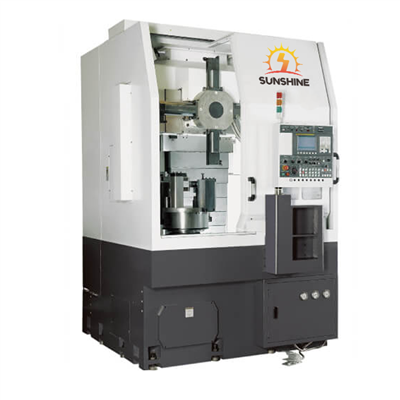
Hey there! As a supplier of the Robodrill 5 Axis, I've had my fair share of experiences with these amazing machines. One of the most crucial aspects of getting the best out of your Robodrill 5 Axis is proper calibration. In this blog, I'm gonna walk you through how to calibrate the Robodrill 5 Axis step by step.
First off, let's talk about why calibration is so important. A well - calibrated Robodrill 5 Axis ensures high - precision machining. It helps in achieving accurate cuts, better surface finishes, and reduces the chances of errors in the final product. Whether you're working on a small - scale project or a large - scale industrial job, calibration is the key to getting top - notch results.
Pre - Calibration Checks
Before you start the actual calibration process, there are a few pre - calibration checks you need to do.
Machine Inspection
Take a good look at the entire machine. Check for any visible signs of damage, such as cracks in the frame, loose bolts, or worn - out parts. Make sure all the moving parts, like the axes and the spindle, can move freely without any obstructions. A damaged machine can't be calibrated accurately, and it might even pose a safety risk.
Cleaning
Clean the machine thoroughly. Dust, debris, and coolant residues can affect the performance of the sensors and other components. Use a clean cloth and appropriate cleaning agents to wipe down the machine, especially around the measuring devices and the working areas.
Power and Environment
Ensure that the machine is connected to a stable power supply. Fluctuations in power can lead to inaccurate readings during calibration. Also, make sure the environment where the machine is located is stable in terms of temperature and humidity. Extreme temperatures and high humidity can cause thermal expansion and contraction, which can throw off the calibration.
Calibrating the Linear Axes
The Robodrill 5 Axis has multiple linear axes, and calibrating them is a fundamental step.
Using a Laser Interferometer
A laser interferometer is a great tool for calibrating linear axes. It works by measuring the displacement of the axis with high precision. Here's how you can use it:


- Set up the laser interferometer: Place the laser source and the receiver in the appropriate positions according to the machine's layout. Make sure they are securely mounted and aligned properly.
- Zero the measurement: Move the axis to its zero position and set the laser interferometer to zero. This will be your reference point for all the subsequent measurements.
- Take measurements: Move the axis in small increments along its full travel length. At each increment, record the actual position measured by the laser interferometer and compare it with the position indicated by the machine's control system.
- Adjust the compensation values: Based on the differences between the actual and the indicated positions, adjust the compensation values in the machine's control software. This will correct any errors in the axis movement.
Ballbar Testing
Another method for calibrating linear axes is ballbar testing. A ballbar is a device that measures the circular motion of the axis.
- Install the ballbar: Mount the ballbar between the spindle and a fixed point on the machine. Make sure it is properly aligned.
- Run the test: Program the machine to perform a circular motion with the axis. The ballbar will measure the deviations from the ideal circular path.
- Analyze the results: The data collected from the ballbar test will show any errors in the axis, such as straightness, perpendicularity, and backlash. Use this information to adjust the calibration settings in the machine's control system.
Calibrating the Rotary Axes
The rotary axes of the Robodrill 5 Axis also need to be calibrated accurately.
Rotary Encoder Calibration
Most Robodrill 5 Axis machines use rotary encoders to measure the rotation of the axes. Here's how to calibrate them:
- Check the encoder mounting: Make sure the rotary encoder is securely mounted on the axis. A loose encoder can give inaccurate readings.
- Zero the encoder: Rotate the axis to a known reference position and set the encoder to zero. This will be the starting point for all the rotation measurements.
- Verify the rotation accuracy: Use a precision angle measuring device, like a theodolite, to measure the actual rotation of the axis. Compare these measurements with the values indicated by the encoder.
- Adjust the encoder settings: If there are any discrepancies between the actual and the indicated rotation angles, adjust the encoder settings in the machine's control system.
Axis Alignment
Proper alignment of the rotary axes with the linear axes is crucial. Misaligned axes can lead to inaccurate machining. You can use alignment tools, such as alignment lasers or precision alignment fixtures, to ensure that the rotary axes are perpendicular and parallel to the linear axes as required.
Calibrating the Spindle
The spindle is the heart of the Robodrill 5 Axis, and its calibration is essential for good machining results.
Spindle Runout
Spindle runout refers to the deviation of the spindle's rotation from its ideal axis. You can measure spindle runout using a dial indicator:
- Mount the dial indicator: Place the dial indicator in a position where it can measure the radial and axial runout of the spindle. Make sure it is securely attached.
- Rotate the spindle: Slowly rotate the spindle by hand or using the machine's control system. The dial indicator will show the amount of runout.
- Adjust the spindle: If the runout is outside the acceptable range, you may need to adjust the spindle bearings or other components. Consult the machine's manual for the specific adjustment procedures.
Spindle Speed
Calibrate the spindle speed to ensure that it runs at the correct RPM (revolutions per minute). Use a tachometer to measure the actual spindle speed and compare it with the speed set in the machine's control system. If there is a difference, adjust the speed settings accordingly.
Post - Calibration Checks
After you've completed the calibration process, it's important to do some post - calibration checks.
Machining a Test Part
Machine a test part using a simple program. Check the dimensions, surface finish, and accuracy of the test part. If there are any issues, it might indicate that the calibration needs further adjustment.
Re - measuring the Axes
Use the same calibration tools, like the laser interferometer and the ballbar, to re - measure the axes. Make sure that the measurements are within the acceptable tolerance range.
Conclusion
Calibrating the Robodrill 5 Axis is a detailed and time - consuming process, but it's definitely worth it. A well - calibrated machine will give you better performance, higher precision, and longer service life. If you're interested in purchasing a Robodrill 5 Axis, or if you have any questions about calibration or our other products like the Horizontal Machining Center Inverted T - type Cutting Machine and Heller Machining Center, feel free to reach out for a purchase negotiation.
References
- "Robodrill 5 Axis User Manual"
- "Precision Machine Calibration Handbook"